In this guide
Key Takeaways
- Ergonomic office chairs should support posture changes through the day rather than hold you in a single fixed position.
- When comparing mesh office chairs, focus on airflow, back support structure, and how the backrest manages tension.
- The most useful adjustments for long working days are seat height, lumbar support, armrest position, and recline tension.
- Different office chair types solve different problems, so the trade-offs often matter more than the headline feature.
- The right task chair depends on your desk height, working pattern, and whether its construction suits how you sit for extended periods.
What to Look For
Ergonomic Office Chairs
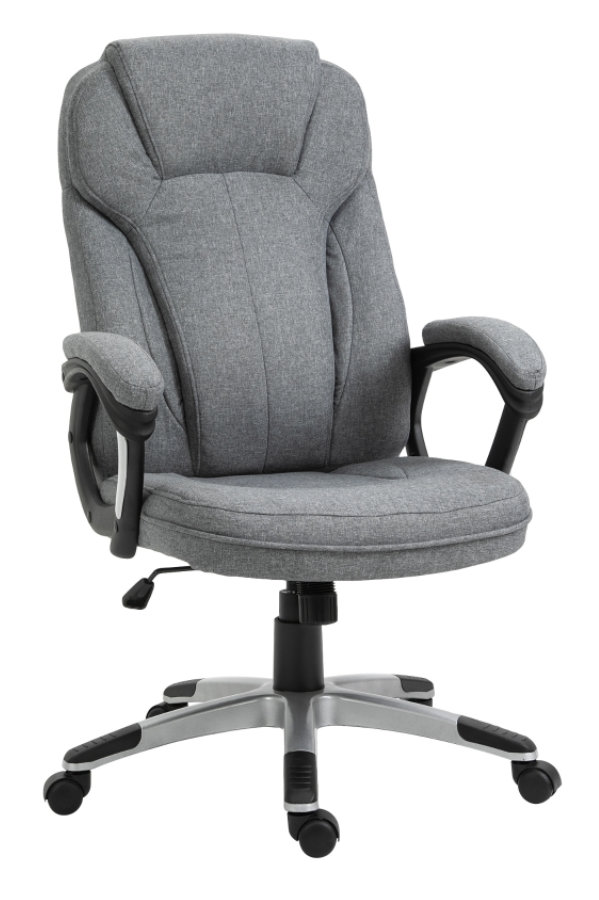
An ergonomic office chair should let you change posture through the day rather than lock you into one position. The most useful adjustments are seat height, backrest tilt, tilt tension, armrest position and lumbar support. Seat height matters because your feet should rest flat on the floor with knees roughly level with hips. If the seat is too high, pressure builds under the thighs; too low, and the pelvis rolls backwards, which can flatten the lower back.
Back support is where many chairs differ most. A shaped backrest or adjustable lumbar section helps maintain the natural curve of the lower spine, especially during long desk sessions. Recline is not just about comfort, it changes how body weight is distributed between the seat and backrest. Chairs with a synchronised tilt mechanism usually support movement more effectively than fixed upright designs, because the back and seat move in a coordinated ratio rather than forcing the body to compensate.
If you work for long stretches, prioritise adjustment range over thick padding. A chair that fits your body properly is usually more supportive after six hours than one that simply feels soft for the first twenty minutes.
-
Check for adjustable seat height, recline, tilt tension and lumbar support rather than a fixed backrest.
-
Look at seat depth in relation to your thigh length, leaving a small gap behind the knees.
-
Prefer armrests that adjust in height at minimum, so shoulders can stay relaxed while typing.
-
Assess whether the chair supports movement, not just upright sitting, across a full working day.
Mesh Office Chairs
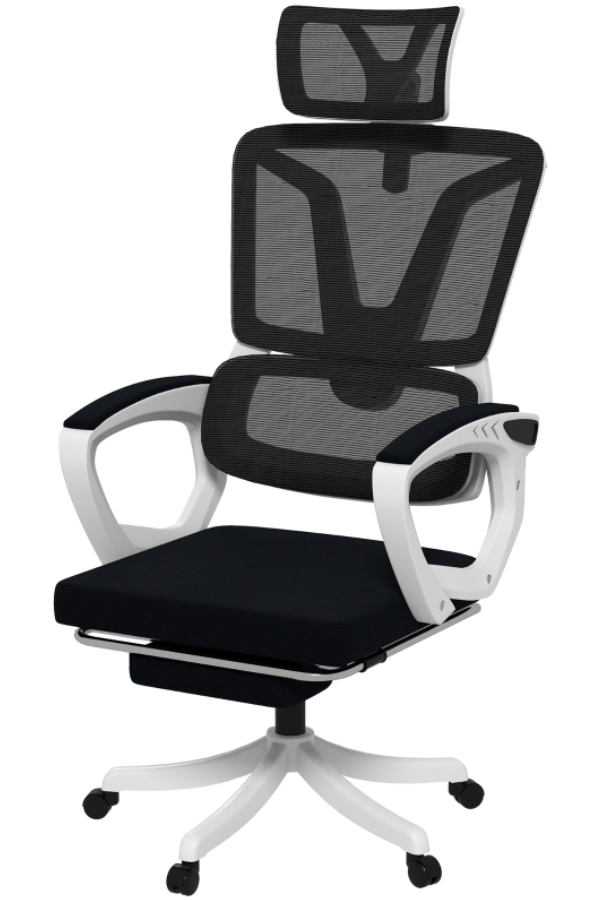
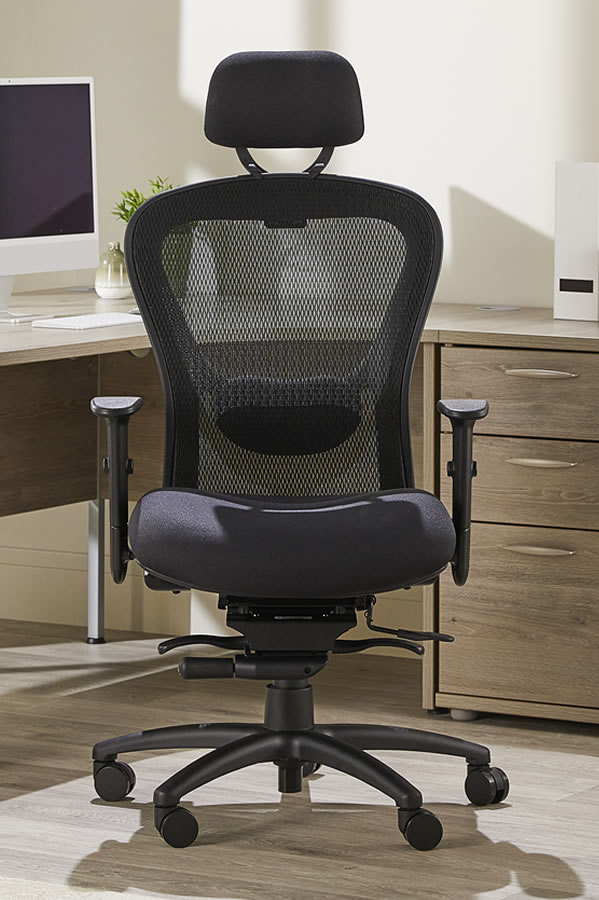
Mesh office chairs are often chosen for airflow, but the more important distinction is how the backrest behaves under load. A taut mesh back can provide consistent support without the heat retention of a fully upholstered back. However, not all mesh performs the same way. If the tension is too loose, the backrest can feel unsupportive over time; if too rigid, it may create pressure points around the shoulder blades or lumbar area.
Seat construction needs closer scrutiny on mesh models. Some use mesh only on the backrest and retain a padded seat, which can offer a more familiar pressure distribution. Full-mesh seats can feel cooler, but comfort depends heavily on frame design and tensioning. For heavier daily use, inspect whether the seat edge feels supportive without cutting into the legs, because this is where poor designs become tiring after several hours.
-
Compare whether the chair uses mesh on the back only or on both back and seat.
-
Check mesh tension, especially in the lumbar area and upper back.
-
Pay attention to the front seat edge, which affects circulation under the thighs.
-
Consider mesh if heat build-up is a problem in your workspace.
Executive Office Chairs

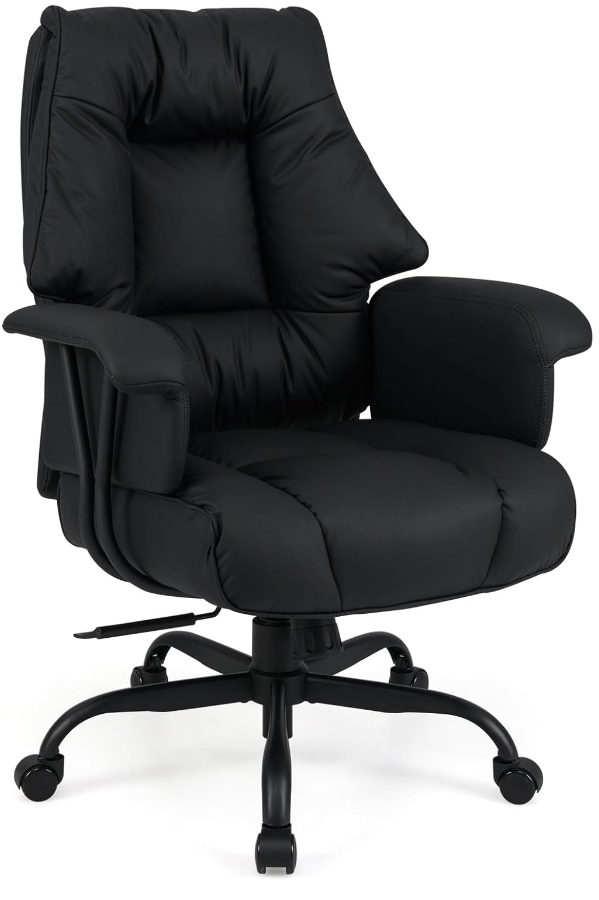
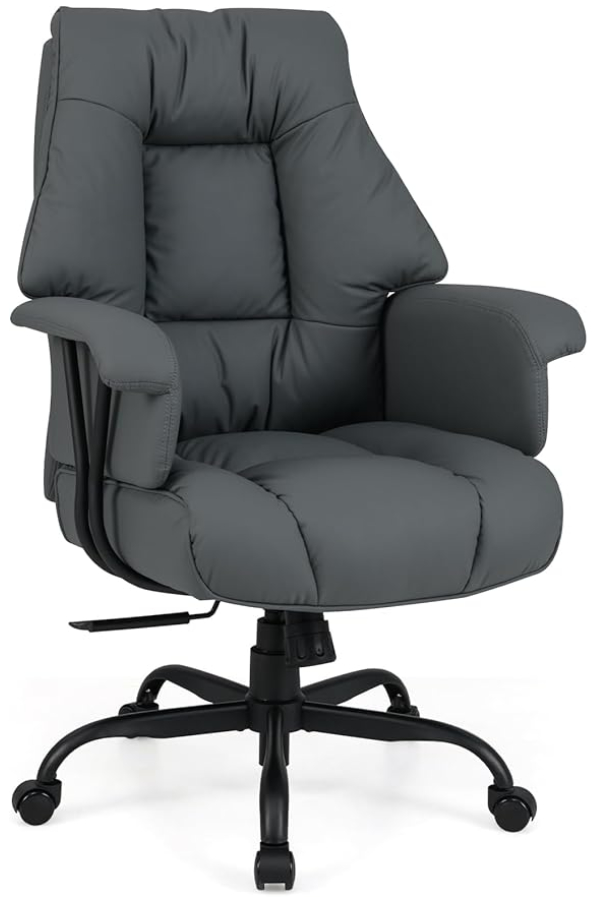
Executive office chairs usually have a higher backrest, broader seat and more heavily upholstered construction. That can suit users who want more upper-back contact or who spend part of the day leaning back for calls and reading. A tall back does not automatically mean better ergonomics, though. If the lumbar position is fixed and does not align with your lower back, the extra height adds little practical support.
These chairs are also worth comparing for how they balance cushioning with structure. Deep padding can feel comfortable initially but may compress over time, reducing support and altering posture. For long working days, the key question is whether the chair still keeps the pelvis stable and the spine supported after hours of use. A large chair can also be a poor fit for smaller users if the seat is too deep or the armrests sit too far apart.
A larger chair is not always a more supportive chair. If the seat depth or backrest shape does not match your body, extra size can make posture harder to maintain.
-
High backs can support more of the upper torso, but lumbar positioning still matters most.
-
Thick padding should be judged for long-term support, not showroom softness.
-
Check seat width and depth carefully if you are comparing larger executive styles.
-
Wider arm spacing can affect shoulder position and keyboard comfort.
Task Chairs
Task chairs are the most common category for desk-based work because they focus on compact dimensions and practical adjustability. They suit shared workspaces, home offices and smaller desks where a large executive chair would dominate the room. The better task chairs still offer the core ergonomic adjustments, but often in a lighter and less bulky frame that is easier to move and position.
This category covers a wide range, from basic operator chairs with limited controls to more advanced ergonomic designs. The difference usually shows up in the mechanism. Entry-level models may offer only gas-lift height adjustment and a simple fixed recline, while more developed task chairs add adjustable arms, seat depth and lumbar settings. For long working days, these details matter more than whether the chair looks minimal or heavily featured.
| Chair type | Main strength | Key limitation | Best for |
|---|---|---|---|
| Ergonomic office chairs | Broad adjustment range | Can take longer to set up correctly | Long daily desk work |
| Mesh office chairs | Better airflow and lighter feel | Support varies with mesh tension | Warm rooms and extended seated work |
| Executive office chairs | Larger backrest and cushioned feel | Fit can be poor for smaller users | Mixed desk work and calls |
| Task chairs | Compact, practical, desk-friendly | Basic models may lack key adjustments | Home offices and shared workspaces |
-
Task chairs are often the most space-efficient option for standard desks.
-
Mechanism quality matters more than visual simplicity or bulk.
-
Basic models may be suitable for shorter sessions, but long days need more adjustment.
-
Compare armrest, lumbar and seat-depth settings before treating all task chairs as equivalent.
Key Specifications to Compare
Mesh Office Chairs
Mesh office chairs are usually compared on airflow, back support structure, and how tension is managed across the backrest. A taut mesh back can reduce heat build-up over long sessions, but the support you feel depends on whether the chair uses a simple stretched panel or a more structured frame with targeted lumbar shaping. Two chairs can both be described as mesh, yet feel very different if one has a flexible upper back and the other has a firmer lower section.
Seat construction matters just as much as the back. Some mesh chairs pair the backrest with a foam seat, while others use mesh for both. A foam seat often gives a more familiar pressure distribution, especially for longer desk work, whereas a full-mesh seat can feel cooler but may be less forgiving if the frame edge is noticeable. When comparing specifications, check the seat width, seat depth adjustment, and stated weight capacity together, because these figures tell you more about fit than material alone.
-
Check whether the mesh is used on the back only, or on both back and seat
-
Compare lumbar support type, fixed, height-adjustable, or tension-adjustable
-
Look at seat depth adjustment if you need better thigh support
-
Review weight capacity alongside seat dimensions, not as a standalone figure
If you work in a warm room, prioritise backrest design over marketing terms, because airflow depends more on open structure and tensioned support than on the word "mesh" alone.
High-Back Office Chairs
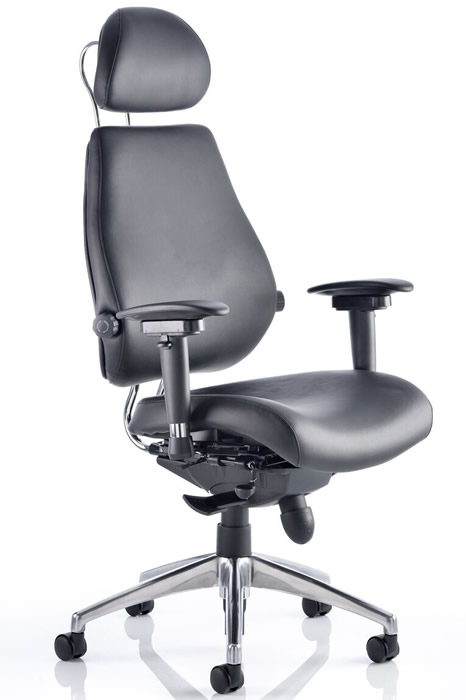
High-back office chairs are defined less by style and more by how far the backrest supports the upper spine and shoulders. For long working days, this affects how well the chair supports posture changes when you lean back between tasks. A taller backrest can spread pressure over a larger area, but only if the recline mechanism and lumbar position align with your body. If the lumbar support sits too low or too high, the extra back height adds little practical benefit.
Headrests are often bundled into this category, but they vary widely in usefulness. A fixed headrest mainly changes the overall shape of the chair, while an adjustable headrest can support the neck during recline. For upright keyboard work, headrest contact is usually minimal. Compare whether the headrest adjusts for height, angle, or both, and whether the backrest itself has independent height adjustment. That combination has more impact than back height alone.
-
Compare total backrest height and whether the upper back is actively supported
-
Check if the headrest is fixed or adjustable for height and angle
-
Look for independent backrest height adjustment where available
-
Assess recline range and lock positions, because high backs are most useful when recline is well controlled
Adjustable Office Chairs
Adjustable office chairs differ most clearly in how many settings can be changed independently. Seat height is standard, but the more useful comparisons are seat depth, armrest movement, lumbar adjustment, tilt tension, and recline lock positions. A chair with many adjustments is not automatically easier to fit, because the range and precision of each setting matter more than the count. For example, a sliding seat with limited travel may not solve poor thigh support for taller users.
Armrests are one of the easiest specifications to compare because movement is usually listed clearly. Fixed armrests limit desk fit and can interfere with getting close to the work surface. Height-adjustable armrests improve shoulder position, while 3D or 4D armrests add width, depth, and pivot adjustment that can better support different keyboard and mouse setups. If you alternate between focused typing and more relaxed reading, these details are often more useful than cosmetic differences.
| Specification | Basic adjustable chairs | Mid-range adjustable chairs | Highly adjustable chairs |
|---|---|---|---|
| Seat height | Yes | Yes | Yes |
| Seat depth | Sometimes | Usually | Usually |
| Lumbar adjustment | Fixed or limited | Height or depth | Height and depth, sometimes tension |
| Armrests | Fixed or height-adjustable | 2D or 3D | 3D or 4D |
| Recline control | Basic tilt lock | Multiple lock positions | Multiple locks with tension tuning |
-
Prioritise independent adjustments rather than bundled movement
-
Compare armrest dimensions and movement range, not just 2D, 3D, or 4D labels
-
Check seat depth travel if you are notably taller or shorter than average
-
Look for recline tension control that can be tuned to body weight and working style
A long feature list can mask limited adjustment range. A chair with fewer controls but better travel in the right areas can fit better than one with more settings on paper.
Executive Office Chairs
Executive office chairs are often compared by upholstery, cushioning, and overall dimensions, but the key specification is whether the comfort comes from support or simply from padding. Deep cushioning can feel soft at first and still offer limited long-session support if the seat lacks contour or the recline mechanism is basic. For buyers weighing executive models against task-focused chairs, the important comparison is how much adjustability is retained once thicker upholstery is added.
These chairs also tend to have broader seats and taller backs, which can suit some users and hinder others. A wider seat may reduce side pressure, but it can also make armrest positioning less precise if the armrests are set too far apart. Upholstery type affects maintenance and temperature more than support. Compare covering material, seat dimensions, and mechanism type together, especially if the chair will be used for full working days rather than occasional meetings.
-
Distinguish between cushioning depth and actual ergonomic support
-
Compare seat width with armrest spacing for practical desk use
-
Check whether thicker upholstery reduces adjustment range
-
Review covering material in terms of maintenance and heat retention
Heavy-Duty Office Chairs
Heavy-duty office chairs should be compared on rated capacity, frame construction, and dimensional suitability. A higher weight rating is only meaningful if the seat width, seat depth, and backrest shape also match the user. Some models are built with reinforced bases and larger seats, while others mainly increase the stated capacity without significantly changing fit. For informed comparison, treat capacity and usable space as linked specifications.
Base and castor details matter more in this category because load is transferred through the lower structure. Look for the base material, the number of castors if stated, and whether the chair is intended for intensive daily use. Gas lift class may also be listed and can help indicate whether the height mechanism is matched to the chair’s rated load. These details are more useful than broad claims about durability.
-
Compare maximum user weight with seat width and depth
-
Check base material and reinforcement details where stated
-
Look for gas lift class or equivalent load-related specification
-
Assess whether the chair’s dimensions support movement as well as capacity
Advantages and Disadvantages
Different chair types solve different problems, and the trade-offs are usually more important than the headline feature. A chair that feels supportive for a two-hour task can become fatiguing over a full working day if the seat foam compresses, the recline range is limited, or the armrests force the shoulders upwards. Comparing advantages and disadvantages by category helps narrow the field before you start looking at adjustment ranges and dimensions.
| Chair type | Main advantage | Main drawback | Suited to | Less suited to |
|---|---|---|---|---|
| High-Back Office Chairs | More upper-back and shoulder support | Bulkier frame, can restrict movement | Long desk sessions, taller users | Compact rooms, frequent perch-style sitting |
| Executive Office Chairs | Deep cushioning and a more enclosed feel | Often warmer and heavier | Formal home offices, users who prefer softer seating | Hot rooms, users who move position often |
| Kneeling Chairs | Opens hip angle and changes spinal loading | Limited adjustability and pressure on shins | Shorter focused sessions, posture variation | Full-day use as a sole chair |
| Drafting Chairs | Works with higher desks and sit-stand perching | Foot support becomes critical | Elevated work surfaces, studio use | Standard desk setups |
High-Back Office Chairs
High-back office chairs are usually chosen for the extra support they can provide through the upper back, shoulders, and sometimes the headrest area. That added structure can reduce the sense of carrying tension in the neck and upper torso during long keyboard sessions, especially for users who spend most of the day facing one screen. They also tend to suit taller users better than compact task chairs, because the backrest gives more contact across a longer section of the spine.
The drawback is that a larger backrest can make the chair feel less agile. If you twist frequently between desk, storage, and meeting space, a tall frame can interfere with free shoulder movement. High-back models also take up more visual and physical space, which matters in smaller home offices. The extra structure is only useful if the chair’s shape matches your back length, otherwise the top section can simply become unused bulk.
Check the backrest height against your seated shoulder position, not just the overall chair dimensions, because a high back that stops too low offers little advantage over a standard task chair.
-
Better upper-back and shoulder contact for long seated sessions
-
Often a stronger fit for taller users than compact task chairs
-
Bulkier frames can reduce freedom of movement
-
Takes up more room in smaller workspaces
Executive Office Chairs
Executive office chairs are typically valued for their thicker seat and back padding, broader proportions, and more enclosed sitting position. For some users, that softer feel reduces pressure points during long meetings and document-heavy work. They can also appeal to people who dislike the firmer, more upright feel common in performance-focused task seating.
That comfort comes with compromises. Heavier padding can trap more heat than more open chair designs, which matters in warm rooms or during summer use. Executive chairs are also often heavier to move and can feel less responsive when you recline or shift posture frequently. If you work dynamically, leaning forward for typing and then reclining for calls, a softer, more cushioned chair may feel less precise than a task-oriented design.
Thick cushioning can feel comfortable in a showroom but may offer less stable support over a full day if the seat is too soft for your weight and working posture.
-
Softer, more padded feel than many task chairs
-
Can reduce pressure points for users who prefer cushioned seating
-
Usually warmer and heavier than more open designs
-
Less ideal for users who change posture constantly
Kneeling Chairs
Kneeling chairs are designed to change the sitting angle by shifting some load away from the seat and encouraging a more open hip position. For users who want an alternative to conventional desk seating, they can promote active sitting and make it harder to slump into a deeply rounded posture. They are often considered by people who want more movement and less reliance on a backrest.
Their limitations are significant if used as the only chair for a full working day. Pressure on the shins and knees can build over time, and the lack of conventional armrests, recline, and back support makes them less adaptable for mixed tasks. They tend to work better as a secondary seating option for shorter periods than as an all-purpose office chair for typing, calls, reading, and extended screen work.
Treat a kneeling chair as a posture-change tool rather than a replacement for a fully adjustable office chair if you regularly work six hours or more at a desk.
-
Encourages a more open hip angle and active sitting
-
Useful for posture variation during shorter sessions
-
Can create pressure on shins and knees over time
-
Limited support and adjustability for full-day desk work
Drafting Chairs
Drafting chairs are built for use at higher work surfaces, such as elevated desks, counters, or studio benches. Their main advantage is height range, usually paired with a foot ring or foot support point that helps stabilise the lower body when the seat is raised. For users working between standing and perched positions, they can be a practical match for taller setups where a standard office chair simply will not reach.
The disadvantage is that they are highly dependent on the desk height being appropriate. At a normal desk, a drafting chair is often the wrong tool, and even at a higher surface, comfort depends heavily on proper foot support. If your feet dangle or the foot ring sits at the wrong height, pressure under the thighs increases and circulation can suffer. Drafting chairs are therefore more specialised than standard office seating, not a universal upgrade.
A drafting chair without usable foot support is rarely comfortable for long sessions, because seat height alone does not create a stable working posture.
-
Necessary for higher desks and elevated work surfaces
-
Supports perched working better than standard office chairs
-
Poor fit for standard desk heights
-
Foot support position is critical to long-session comfort
Our Top Picks
Task chairs split into a few clear groups, and the right one depends on how you work rather than on a single comfort claim. For long desk sessions, the useful distinctions are seat material, back height, and how much adjustment the mechanism gives you once the chair is set up.
A simple way to narrow the field is to match the chair to your working pattern. If you stay at one desk for most of the day, adjustment range and back support matter more than compactness. If the chair moves between users or rooms, easier controls and a forgiving fit become more important than highly specific tuning.
| Category | Suits | Main strength | Main compromise |
|---|---|---|---|
| High-Back Office Chairs | Long seated sessions | More upper-back support area | Larger footprint |
| Adjustable Office Chairs | Shared desks, precise setup | Broader fit range | More controls to learn |
| Leather Office Chairs | Formal offices, easier wipe-clean care | Different look and surface feel | Usually warmer to sit on |
| Fabric Office Chairs | Long daily use in mixed temperatures | Softer contact surfaces | Upholstery care varies |
High-Back Office Chairs
High-back office chairs are worth shortlisting if you spend full working days seated and want support extending beyond the mid-back. The taller backrest gives a larger contact area, which can help distribute pressure across more of the back rather than concentrating it lower down. This category is also easier to compare visually, because back height, headrest presence, and shoulder support are usually obvious from product images and dimensions.
What matters here is not just the height of the backrest, but whether the chair still lets you sit close enough to the desk. Some high-back designs add bulk behind the shoulders or at the headrest, which can affect how naturally you can recline or turn. Compare overall height, backrest shape, and whether the upper section looks integrated into the support structure or simply added for appearance.
Check the backrest height against your own torso length, not just the overall chair height, because a tall base can make a chair look more supportive than the backrest actually is.
-
Better suited to long sessions where upper-back contact matters
-
Easier to assess from dimensions and side-profile images
-
Can take up more visual and physical space in smaller rooms
-
Worth checking for desk clearance and recline space behind the chair
Adjustable Office Chairs
Adjustable office chairs make the most sense when one chair needs to fit more than one body shape, or when you regularly change between typing, reading, and calls. In this category, the useful comparison points are the number of independent adjustments and how easy they are to reach while seated. A chair with several settings is only helpful if those settings can be changed without awkwardly getting up or reaching underneath the seat repeatedly.
This is also the category where specification sheets matter most. Seat height is standard, but the more meaningful differences often come from seat depth adjustment, armrest movement, tilt tension, and recline lock positions. These features affect whether the chair can adapt as your posture changes through the day, rather than simply fitting at the start of it. If the chair is for a shared workspace, simpler controls can be a practical advantage over maximum adjustability.
More adjustment points do not automatically mean better support, because poorly placed controls or limited adjustment ranges can make a chair harder to set correctly.
-
Useful for shared desks and changing work patterns
-
Best compared by independent adjustment range, not feature count alone
-
Control placement affects day-to-day usability more than marketing labels
-
Particularly relevant if you alternate between focused desk work and reclined reading
Leather Office Chairs
Leather office chairs are usually chosen as much for surface finish as for support, but the material changes how the chair feels over a full day. Compared with many textile options, leather presents a smoother contact surface and is often easier to wipe clean. That can be useful in offices where appearance and straightforward maintenance matter as much as all-day temperature regulation.
The trade-off is that leather chairs can feel warmer over long sessions, especially in rooms without strong airflow. When comparing options, look closely at where leather is used, because some chairs apply it only to contact zones while using other materials elsewhere. Also check whether the chair’s shape relies on thick padding, since that affects both the sitting feel and how firmly the backrest supports you over time.
If you work in a warm room or sit for uninterrupted stretches, pay as much attention to heat build-up as to the chair’s appearance.
-
Easier to wipe clean than many upholstered surfaces
-
Often selected for formal office settings and executive-style layouts
-
Can feel warmer during long sessions
-
Surface material should be considered alongside padding depth and support shape
Fabric Office Chairs
Fabric office chairs are a strong fit for long daily use where comfort across changing room temperatures matters. Fabric changes the contact feel more than many buyers expect, because it affects grip, warmth, and how the seat and backrest feel against clothing. In practical terms, this category often feels less slick than leather and less open than mesh, which can suit users who want a more conventional upholstered seat.
When comparing fabric chairs, look beyond the upholstery label and focus on the structure underneath. The same fabric can be stretched over very different seat foams and backrest forms, so support still comes from the chair’s frame, padding profile, and adjustment design. Fabric is therefore less a guarantee of comfort than a clue to surface feel and maintenance needs.
Upholstery descriptions tell you little about support on their own, so use them to judge feel and care requirements rather than ergonomic performance.
-
Often better for mixed temperatures and long daily use
-
Gives a different surface feel from leather or mesh
-
Support depends on the underlying structure, not the fabric alone
-
Care requirements vary by upholstery type and office use pattern
Frequently Asked Questions
Which adjustments matter most for long working days?
Seat height, lumbar support, armrest position, and recline tension have the biggest effect on day-long comfort. These controls change how your pelvis, lower back, shoulders, and elbows are supported, which matters more than cosmetic features or thick padding.
Is a headrest necessary on an office chair?
A headrest is useful if you recline regularly for reading, calls, or screen breaks. It is less important for upright desk work, where back support, seat depth, and armrest positioning usually have a greater effect on posture.
> **Tip:** Prioritise adjustments you will actually use daily, especially seat height, lumbar position, and armrest width or height.
A chair with many controls is not automatically easier to live with. The useful test is whether you can set it quickly so your feet sit flat, your thighs are supported without pressure behind the knees, and your elbows can rest without lifting your shoulders. If a control is awkward to reach or too coarse in its range, it may not deliver a practical benefit.
Adjustability also needs to match the way you work. Someone moving between keyboard work, calls, and short collaborative sessions will benefit from a chair that shifts easily between upright support and a more open recline. A chair used in one fixed workstation can be simpler, provided the core fit is right.
- Seat height should allow flat-footed sitting without compressing the underside of the thighs
- Lumbar adjustment matters more if multiple users share the chair
- Armrests should support the forearms without forcing the shoulders upwards
- Recline tension should match body weight closely enough to avoid either dropping back or feeling locked upright
### Mesh Office Chairs
Are mesh office chairs better for hot offices?
Mesh backs usually improve airflow around the spine and shoulders, which can reduce heat build-up during long sessions. That does not guarantee better comfort overall, because support depends on mesh tension, frame shape, and lumbar design.
Does mesh wear out faster than upholstered backs?
Mesh can lose tension over time, particularly if the support relies on a single stretched panel. Upholstered backs may hide wear more gradually, so the more useful comparison is how the backrest structure supports the body as materials age.
> **Worth knowing:** A breathable backrest does not compensate for a poorly shaped seat or weak lumbar support.
Mesh chairs are often chosen for temperature control, but the support system underneath the mesh is what determines whether the chair feels stable after several hours. Some backs spread pressure evenly, while others create a firmer contact point at the lumbar area and a looser upper section. That difference affects whether the chair encourages an upright posture or simply feels springy at first sit.
The seat deserves equal scrutiny. A mesh back paired with a heavily padded seat can still trap heat where most body weight rests. For buyers comparing several models, it helps to separate airflow, back support, and seat comfort rather than treating mesh as a single performance category.
| Feature | Mesh Back Chairs | Upholstered Back Chairs | Full Mesh Chairs |
|---|---|---|---|
| Airflow | Higher across the back | Lower | Higher across back and seat |
| Support feel | Depends on tension and frame | Depends on foam density and shape | Depends strongly on tension |
| Heat build-up | Lower at the back | Higher at the back | Lower overall |
| Long-term feel | Can change if tension relaxes | Can change if foam compresses | Most sensitive to material tension |
- Mesh backs are mainly about airflow, not automatic ergonomic quality
- Backrest frame shape affects pressure distribution as much as the mesh itself
- Full mesh designs can feel cooler, but seat tension becomes critical
- Compare how the chair supports the lower back after at least several minutes seated
### Executive Office Chairs
Are executive office chairs good for all-day desk work?
They can be, but only if the chair offers proper fit and adjustment rather than relying on size and cushioning alone. A tall back and thick padding may feel comfortable briefly, yet still provide poor arm, lumbar, or seat support over a full working day.
Why do some executive chairs feel comfortable at first but tiring later?
Deep cushioning can create a soft first impression while allowing the body to sink into a less stable posture. Over time, limited adjustment and broad shaping can make it harder to keep the pelvis supported and the shoulders relaxed.
> **Tip:** Judge executive chairs by fit and control range, not by back height or visible padding.
This category often appeals to buyers who want a more substantial chair for a private office or home study. The trade-off is that some models prioritise appearance and a plush feel over precise support. That matters if your work involves long keyboard sessions, where arm position and lower-back contact need more accuracy than a lounge-like seat usually provides.
A well-specified executive chair can still work very well, especially for users who alternate between desk tasks and calls. The key is to check whether the larger frame still lets you sit close enough to the desk, place your feet properly, and use the backrest without the seat edge pressing behind the knees.
- Thick padding should not replace lumbar support or seat depth suitability
- A high back is most useful when it matches your torso length
- Larger chairs can restrict desk access if the armrests or seat are too bulky
- Executive styling does not indicate better support for computer-based work
### Home Office Chairs
What should I prioritise in a home office chair if space is limited?
Start with seat fit, back support, and whether the chair can move freely under your desk. In smaller rooms, compact dimensions and useful adjustment matter more than large backs, wide armrests, or decorative features.
Is a home office chair different from a standard task chair?
The overlap is substantial, but home office buyers often need a chair that works with domestic desks, mixed-use rooms, and shorter movement clearances. That makes footprint, visual bulk, and ease of adjustment more important than in a dedicated office setting.
> **Worth knowing:** A chair that is too large for the room often leads to poor positioning at the desk, even if the support itself is good.
Home office setups expose weaknesses that may be less obvious in commercial offices. Dining-height desks, shallow worktops, and shared rooms can all affect how a chair performs. A model with excellent support on paper may still be awkward if the armrests hit the desk or the backrest pushes you too far forward in a compact space.
Flooring also changes the experience. On hard floors, movement and stability feel different than on carpet, and chair size becomes more noticeable when turning in a tight area. For home use, practical fit within the room is part of ergonomics, not a separate aesthetic concern.
- Measure desk clearance, room depth, and turning space before buying
- Compact chairs can still offer strong support if the core adjustments are well judged
- Armrest size affects whether the chair tucks under the desk properly
- Home office suitability depends on room layout as much as on chair specification
Ready to Buy?
If you have already narrowed your shortlist to chairs that fit your desk height and working pattern, the final step is choosing the construction that matches how you sit for hours at a time. At this stage, broad ergonomic claims matter less than the details that affect pressure distribution, movement, and how often you need to readjust the chair during the day.
The most useful way to buy is to separate chairs by support style rather than by marketing language. A high-back model, a kneeling design, and a 24-hour chair can all be adjustable, but they solve different problems. Comparing them side by side makes it easier to decide whether you need upper-back support, a more open hip angle, or a heavier-duty seat designed for extended use.
| Category | Best suited to | Main support focus | Typical trade-off |
|---|---|---|---|
| High-Back Office Chairs | Desk work with frequent leaning back | Upper back, shoulders, head and neck area | Can feel bulkier at smaller desks |
| Executive Office Chairs | Formal office setups and longer seated sessions | Cushioned support and broader seat profile | Often larger footprint and heavier build |
| Kneeling Chairs | Shorter focused sessions and posture variation | Open hip angle and weight sharing between seat and shin pads | Less suitable for all-day static use |
| 24-Hour Office Chairs | Shift work and very long daily use | Durability, sustained seat support, repeated adjustment | Usually heavier and less visually compact |
High-Back Office Chairs
High-back office chairs are the practical choice if you regularly recline while reading, take calls at your desk, or want support that reaches beyond the shoulder blades. The extra back height changes how weight is carried when you lean back, which can reduce the feeling that all support is concentrated at the lumbar area. For users who alternate between keyboard work and screen-based review, that broader contact area can make long sessions feel less fatiguing.
When comparing high-back models, look closely at how the upper section supports you in a neutral seated position, not only when fully reclined. Some designs are shaped to encourage contact through the thoracic spine, while others mainly add height without adding meaningful support. If headrest adjustment is included, check whether it aligns with your natural sitting posture rather than forcing your head forward.
A high back is most useful when the chair still supports the mid-back properly. Extra height without stable lower and mid-back contact adds size, not function.
-
Prioritise backrest shape and contact through the mid and upper back
-
Check whether the chair remains supportive when upright, not only when reclined
-
Consider desk depth and room size, as taller chairs can dominate compact setups
-
Treat headrest adjustment as a fit issue, not a luxury feature
Executive Office Chairs
Executive office chairs usually appeal to buyers who want a broader, more upholstered seat and a more substantial overall structure. That can be useful if you spend long periods in meetings, switch between desk work and phone calls, or simply prefer a chair that feels less minimal than a task-focused design. The key buying point is not appearance, but how the cushioning behaves after several hours of continuous use.
A heavily padded chair can feel comfortable for the first hour and less supportive later if the seat compresses too easily or encourages a fixed posture. Compare seat depth, backrest angle range, and armrest positioning with the same scrutiny you would apply to a technical task chair. A larger chair should give you room to sit properly, not tempt you into slouching away from the backrest.
Executive chairs often take up more space around the desk, which matters if you work in a smaller room or need the chair to tuck in neatly.
-
Focus on long-session seat support rather than first-impression softness
-
Check whether the seat width and depth suit your frame and desk position
-
Compare armrest placement carefully, especially if you type for most of the day
-
Allow for the larger footprint in home offices and compact workstations
Kneeling Chairs
Kneeling chairs are a specialist option for buyers who want to vary posture rather than remain in one conventional seated position all day. By changing the hip angle and sharing some load between the seat and shin pads, they can encourage a more open posture during focused work. They are most useful as part of a mixed setup, especially if you already alternate between sitting and standing.
They are less forgiving than conventional office chairs if your work requires frequent twisting, rolling between desks, or long static sessions without breaks. Fit matters more than many buyers expect, because the relationship between seat angle and shin support affects comfort quickly. If you are considering one, think in terms of posture variation and task-specific use, not as a direct replacement for every office chair.
Kneeling chairs work more effectively as a second seating option for part of the day than as the only chair for uninterrupted desk use.
-
Use them for posture variation and shorter concentrated sessions
-
Check the seat-to-shin support relationship, as fit affects comfort quickly
-
Less suitable if you need frequent movement around the workstation
-
Better for alternating use than for continuous all-day sitting
24-Hour Office Chairs
24-hour office chairs are built for environments where chairs are occupied for extended periods and adjusted by multiple users. For home buyers and office managers, that usually translates into a chair worth considering if daily use is especially heavy, if the user is seated for very long shifts, or if durability matters as much as comfort. The important distinction is that these chairs are chosen for sustained performance, not simply for extra padding.
When comparing them, pay attention to seat support consistency, adjustment range, and the overall robustness of the moving parts. A chair intended for prolonged use should maintain support through repeated recline, height changes, and daily loading without becoming loose or unstable. They are often less compact than lighter-duty chairs, but that trade-off can be justified if your chair is effectively a full-time workstation tool.
A 24-hour chair can be more chair than some home users need. If your working day is shorter, the extra bulk may not translate into a better fit.
-
Suited to very long daily use and heavier-duty working patterns
-
Compare durability of adjustments, not only comfort specifications
-
Expect a larger and heavier chair than standard office models
-
Most relevant where the chair is a primary work tool for extended shifts
For long working days, the key decision is not whether a chair has one standout feature, but whether its adjustments and construction match the way you actually sit and move through the day. Prioritise the combination of seat height, lumbar support, armrest positioning, recline control, and backrest design that supports posture changes over several hours, because that has more impact than any single comfort claim.